
Land Transportation Management System
LTO Portal Login and Registration
One page for everything the LTMS portal does: direct access, the registration walkthrough, and the fixes for the days it refuses to cooperate.
Renew a license, register a vehicle, settle violations and take the CDE exam from one LTMS account at portal.lto.gov.ph.
Updated 21 September 2026
Licenses
Renew a driver license, take the CDE validation exam online, and track your license card record under RA 10930 validity rules.
Vehicles
Register and renew vehicles, pull registration records, and pay through GCash, QRPh and the portal payment partners.
Violations
Check alarms and violations attached to your license or plate, settle them, and clear your record before a renewal.
What the LTO Portal Is
The LTO portal, formally the Land Transportation Management System, is the agency's transaction site at portal.lto.gov.ph. An LTMS account links to your license and vehicle records, and the portal handles what used to demand a queue: license renewal, vehicle registration, violation checks and the CDE exam, with payments through GCash and QRPh.
The distinction that confuses most motorists: lto.gov.ph is the agency website for advisories and circulars, and the LTMS portal online is the separate system where transactions happen. The two run on different infrastructure. Bookmark the portal address once and every LTO portal login afterward starts from safe ground, which matters because one loads while the other refuses, and an Error 1005 block on the agency site never locks you out of the portal.
One boundary matters for plate chasers: the portal does not show plate release status. That lives on the regional inquiry pages, and our plate tracker routes your number to the right one without any account.
LTO Portal Registration, Step by Step
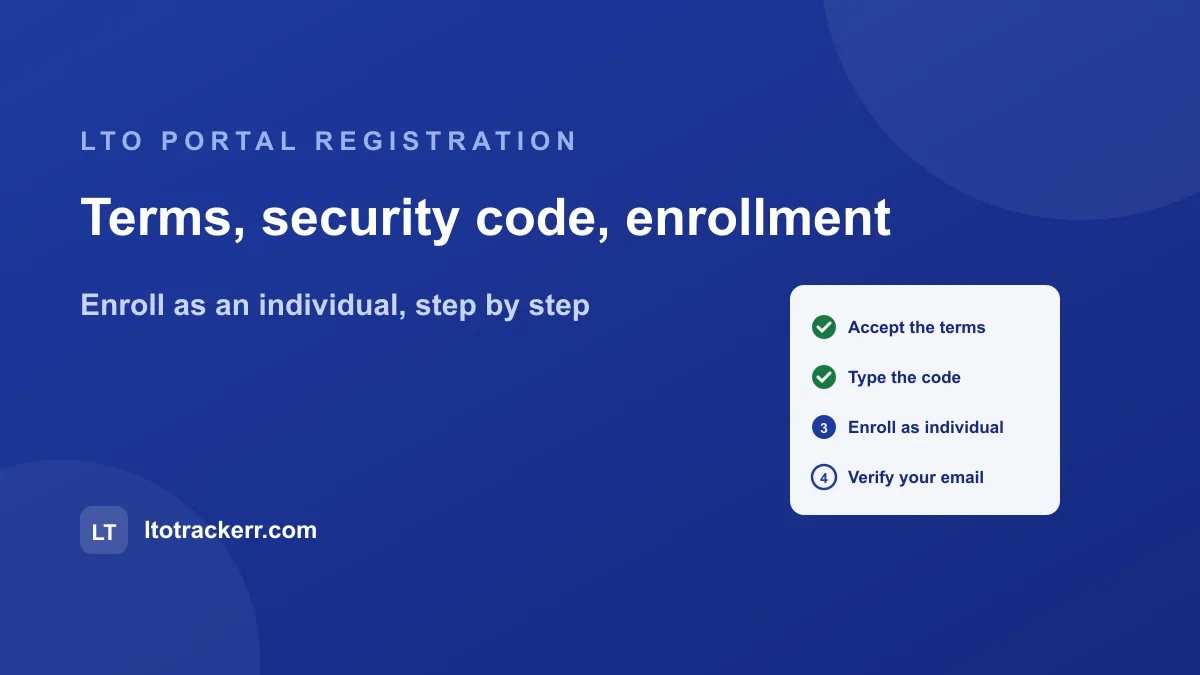
LTO portal registration runs through five screens and takes about ten minutes when the system cooperates. The sequence below matches the current portal release.
-
Open the official portal
The LTO portal lives at portal.lto.gov.ph and nowhere else. The buttons above take you there directly; type the address yourself any other time.
-
Choose Register and accept the terms
The registration flow opens the Terms of Agreement. Read it, tick Yes, I accept, then type the security code shown in the image. Use the refresh link when the code is unreadable.
-
Enroll as an Individual
Four enrollment types appear: Individual, Organization, MAIRD and Other Entity. Private motorists pick Enroll as an Individual. The other three cover companies, manufacturers and accredited stakeholders.
-
Fill in your details exactly as your records show
Names, birth dates and license details must match your LTO records, since the portal links your account to them. A mismatch here is the top cause of failed registrations.
-
Verify your email and log in
A verification message arrives at the address you gave. Follow its link, return to the portal, and log in with your email and password. Check spam and promotions when it does not arrive within minutes.
When the LTMS Portal Does Not Cooperate
Portal trouble in 2026 is a system story, not a you story. The LTMS maintenance contract lapsed on 30 May 2026, a nationwide outage followed on 3 June that suspended renewals and registration, and instability has recurred since. Two consequences matter for your account and your wallet.
Your deadline is protected during downtime
Documents expiring on or after 1 July 2026 hold extended validity until further notice under MC MVL-2026-5271, with no late fees, precisely because the portal kept failing during renewal windows. The extension guide maps every expiry date to its rule.
Most login failures fix themselves
Missing OTPs, silent verification emails and endless spinners track system load, not account damage. Retry during off hours, morning on a weekday beats Sunday evening, and treat a text message with a portal link as phishing on sight; the fraud checklist shows what circulates.
The Addresses That Exist and the Ones That Do Not
Searches for the lto.gov.ph portal, lto online portal and www.lto.portal all chase the same destination through different guesses, and the guessing is what fraud domains feed on. The real map is short. The portal is portal.lto.gov.ph, a subdomain of the agency's gov.ph address, with no www in front. The agency site is lto.gov.ph. The mobile channel is the eGovPH app. Regional plate inquiries run on ltoncr.com and ltolipri.com, the two regional sites LTO operates outside the gov.ph space.
Everything else is third party or worse. LTO NCR has named lookalike portal domains as fraudulent outright, and phishing texts documented through 2026 lead to fake login screens built to harvest LTMS credentials. Two habits close the door: reach the portal by typing the address or through the buttons above, never through a message link, and check for the gov.ph ending before entering a password. A portal address that ends in .com, .net or .ph without gov in it is not the government.
For LTO online transactions beyond the portal, the region directory maps every official plate inquiry, and the SMS 2600 guide explains why the old text channel no longer counts as one.
LTO Portal Questions
What is the official LTO portal address?
portal.lto.gov.ph, run by the Land Transportation Office. Every similar looking address is third party, and LTO NCR has named specific lookalike portal domains as fraudulent. Addresses like www.lto.portal do not exist, and searches for the lto.gov.ph portal mean the same system. The LTO portal login screen sits behind the Log In button above; the real address has no www and ends in gov.ph.
Is this website the LTO portal?
No. LTO Trackerr is an independent guide with no government connection. The Register and Log In buttons on this page carry you to the official LTMS portal after a clearly labeled redirect, and nothing you type on the government site touches this one.
What can I do on the LTMS portal online?
Renew a driver license, register and renew vehicles, check and settle violations, take the online CDE validation exam, book appointments and download records. Plate release status is the one thing it does not show; regional inquiries cover that.
Why will the LTO portal not load or keep failing?
System instability is documented rather than rumored: the LTMS maintenance contract lapsed on 30 May 2026 and a nationwide outage followed on 3 June. Retry during off hours, and know that validity extensions cover documents you could not renew during downtime.
My OTP or verification email never arrives. What do I do?
Check spam and promotions folders, wait a few minutes, then request a fresh code. Repeated silence usually means system load rather than a problem with your account, so a later attempt beats a support ticket.
Do I need an LTMS account to check my plate?
No. Plate release status lives on the regional inquiry pages, which are open lookups: LTO NCR runs five for Metro Manila and Region 4A runs its own. Our tracker routes your plate to the right one without any login.
Is there an LTO online portal app?
The eGovPH app carries LTO functions including the plate tracker, and it is the only official app channel. App store listings presenting themselves as the LTO portal are third party regardless of branding.
Related Guides
Checking on a Plate Instead?
The portal handles records and renewals. Plate release status lives on the regional inquiries, and the tracker routes you there in seconds.
Open the plate tracker